Sales
Overview
By default, the Sales view presents a table displaying all the data for the selected vertical stack across all six countries and for all three levels.
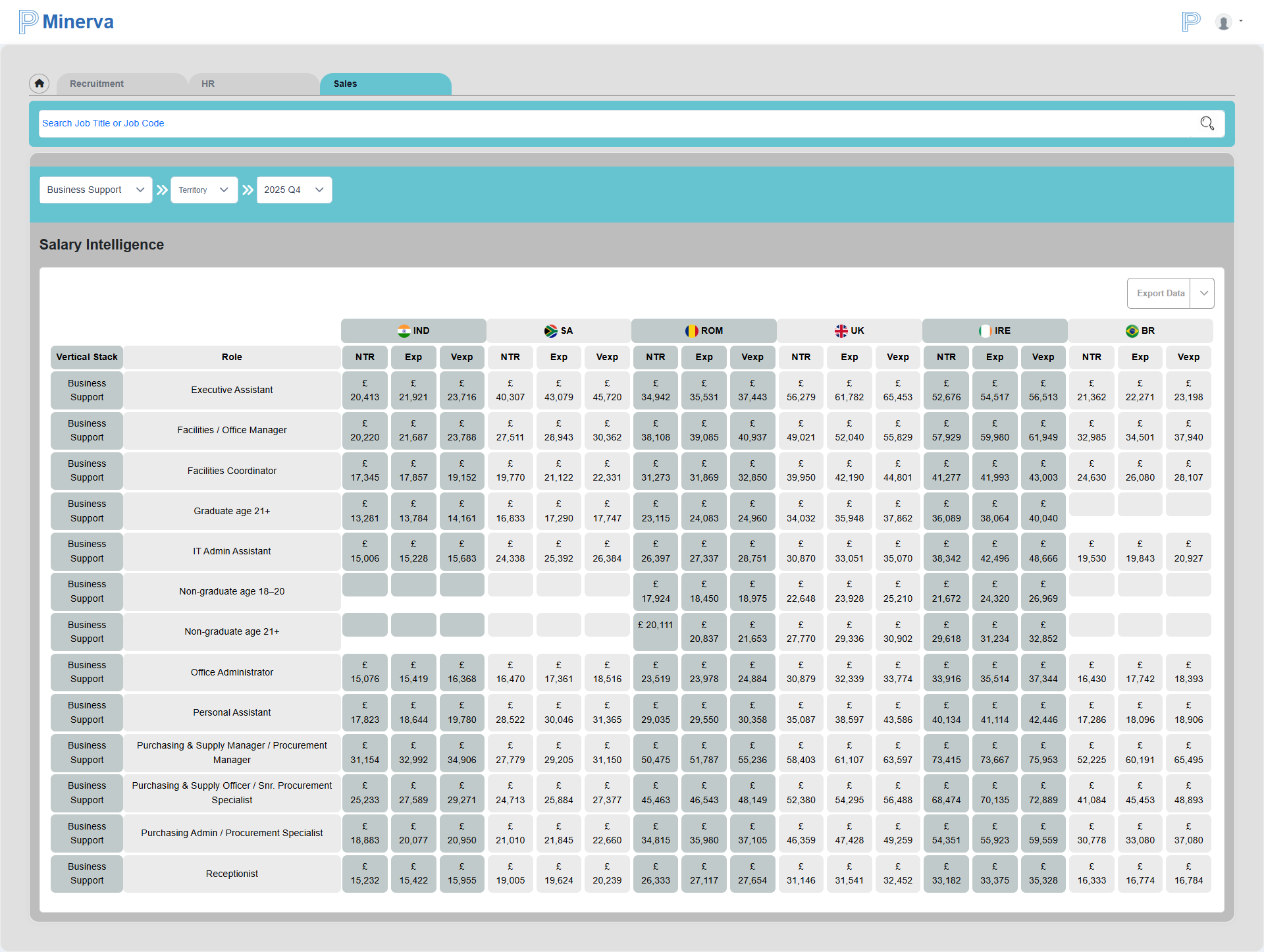
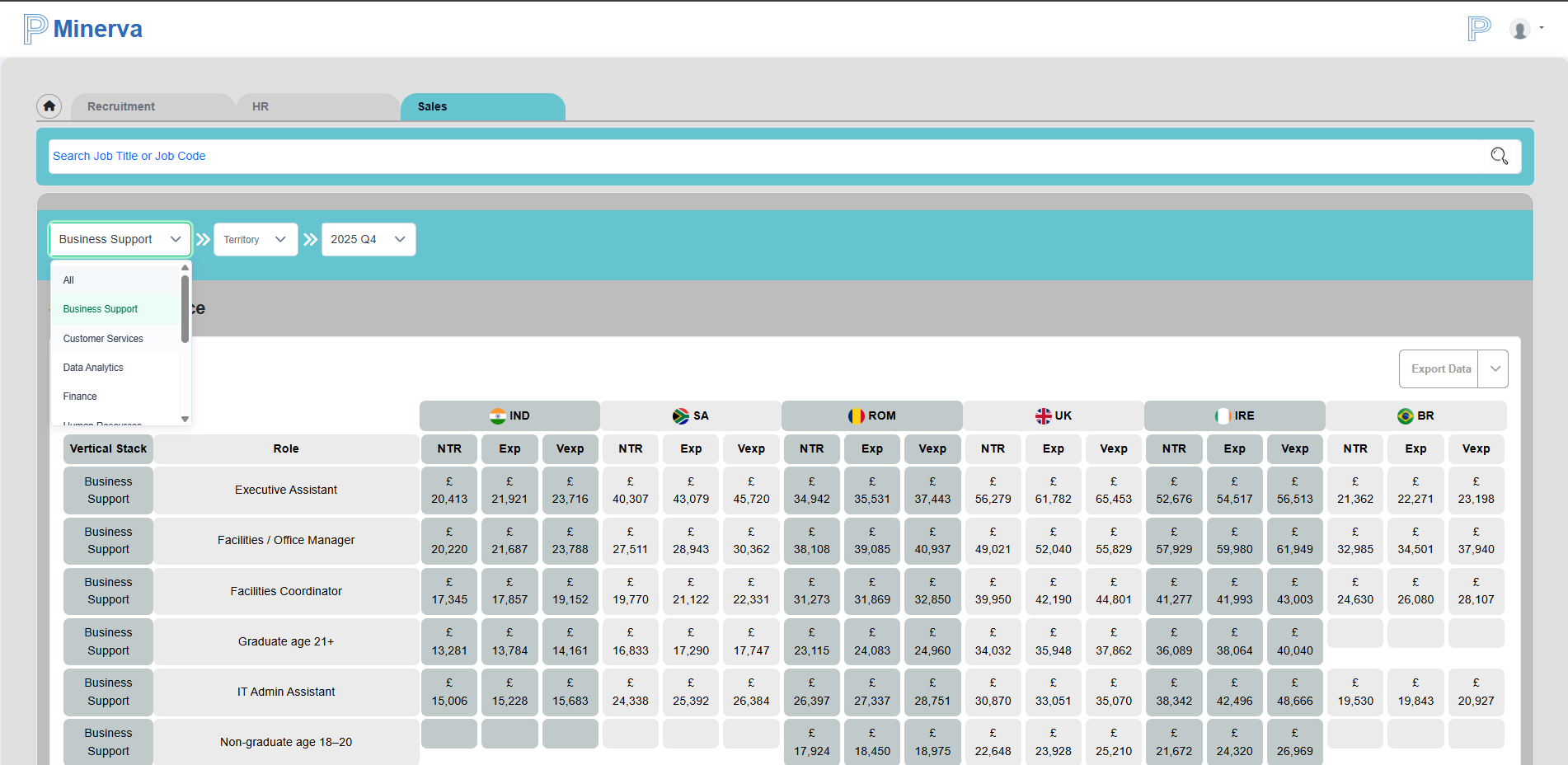
In the table above, all job roles related to the Business Support vertical stack are displayed. Users have the option to view data for either all vertical stacks or only one of the 11 available vertical stacks using the first dropdown.
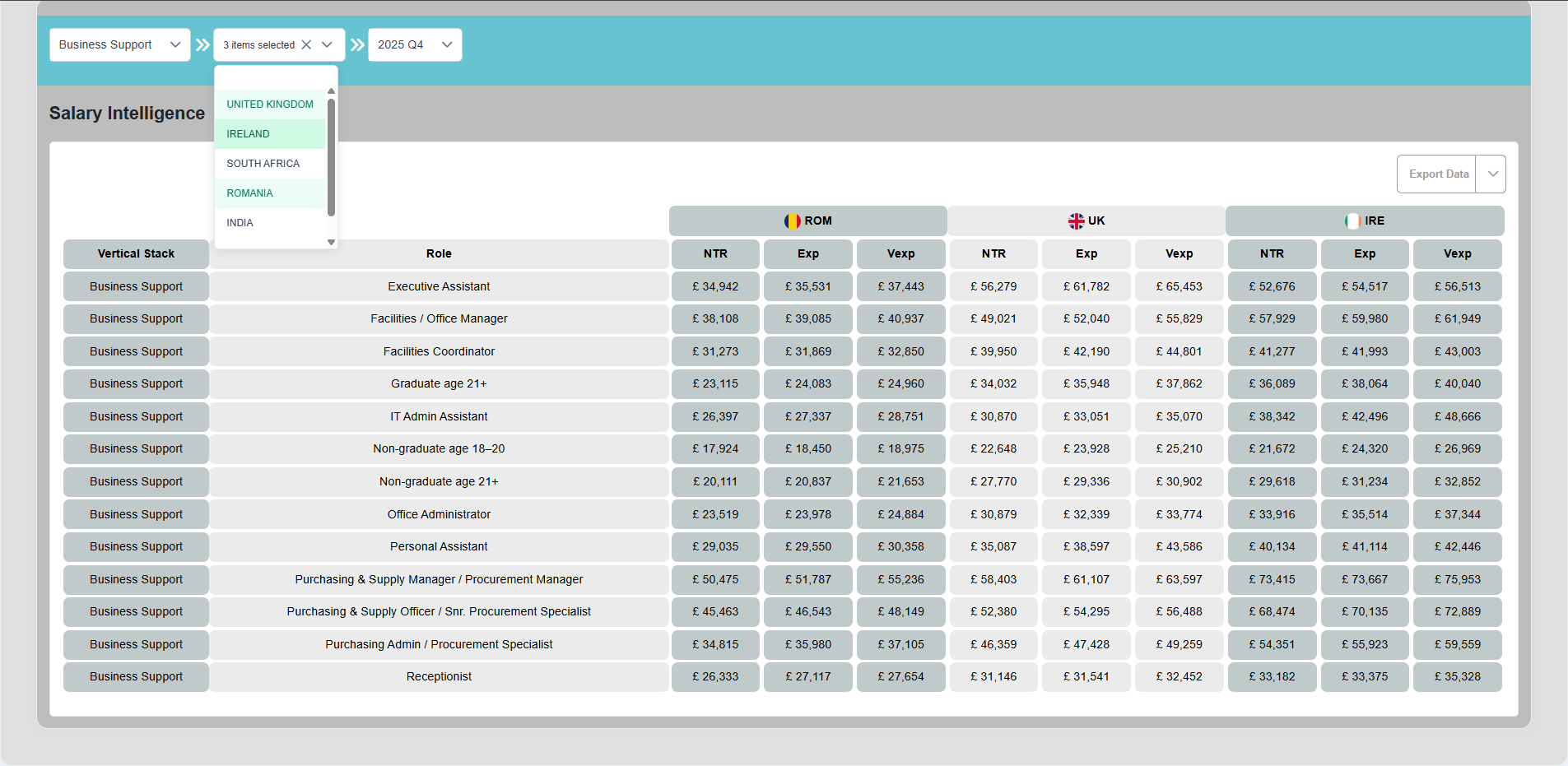
Additionally, users can display data for one or more specific territories using the second dropdown. This allows for flexibility in viewing the data by region.
Search Job Title
The Search Job Title feature allows users to search for a specific job role. If the role exists in the system, it will display the data for that job across all three levels and all five territories.
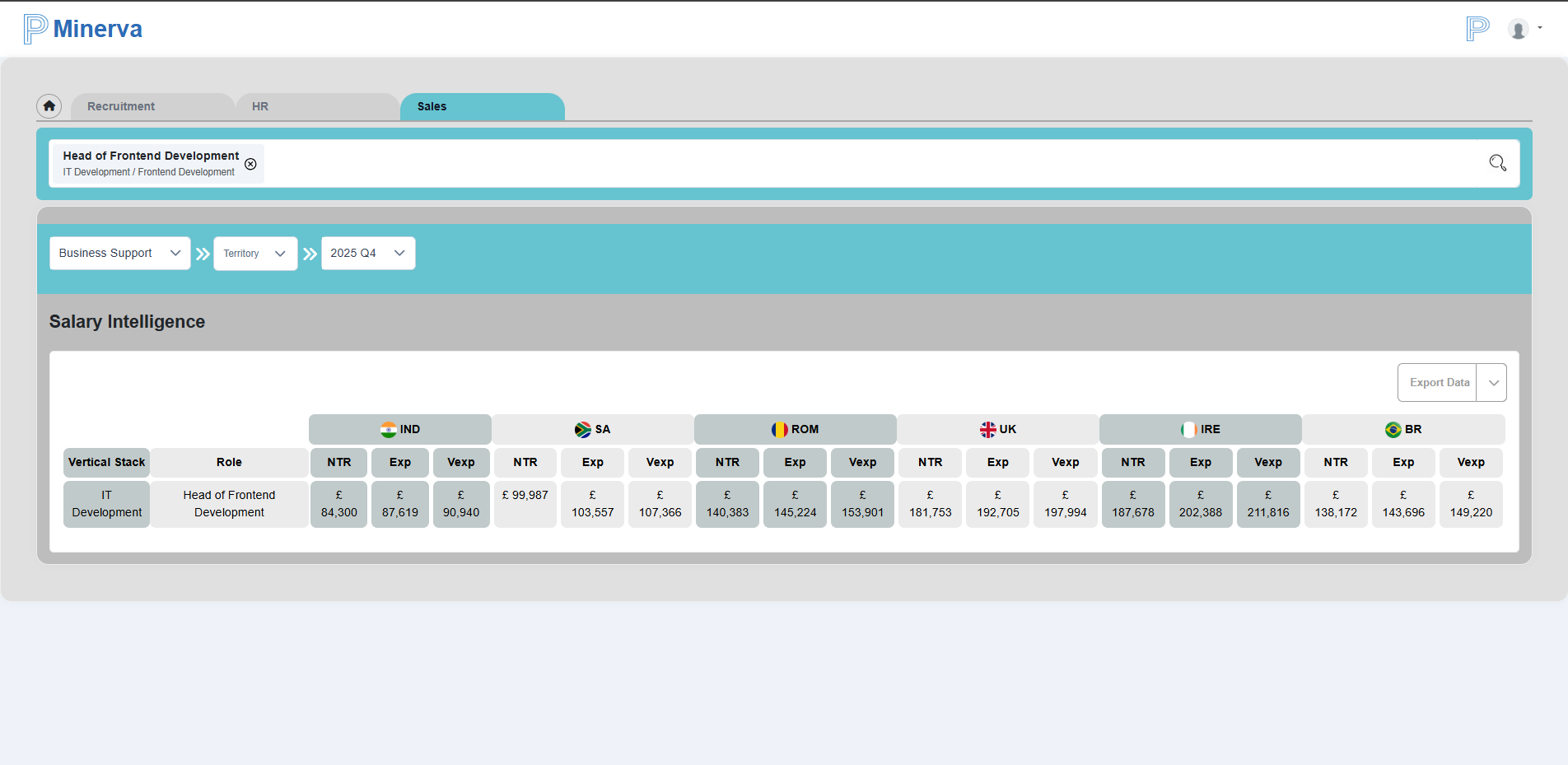
In the Figure above we have displayed data for only 1 job role.
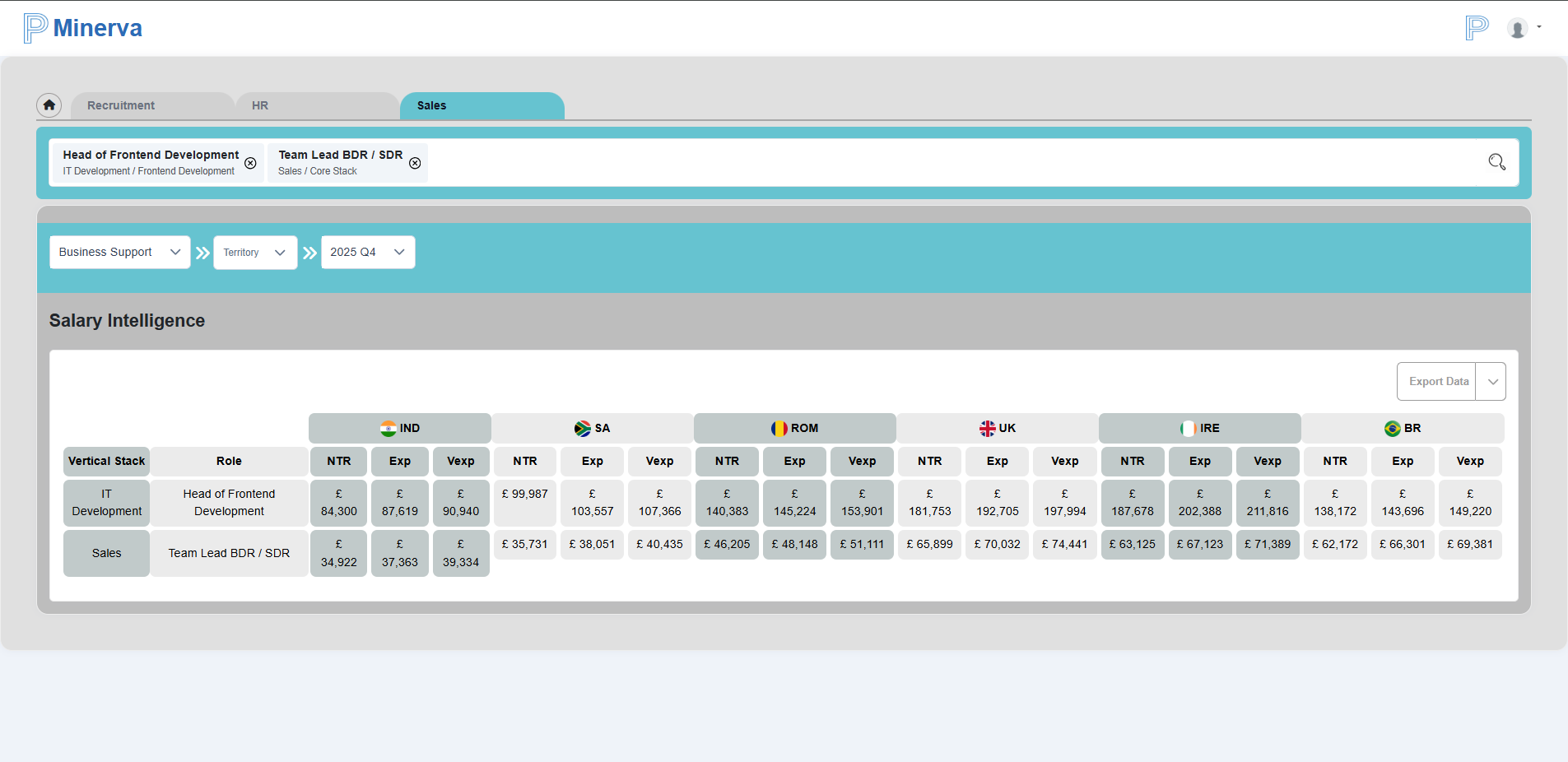
We can view job roles that are present in different vertical stack together as shown in the figure above.
Please note that the search functionality will only return results if the searched job title is present.
Export
Export will always be present here in the Sales view. In the Sales view, users can export data in two different formats:
- Export to Excel
- Export to Word
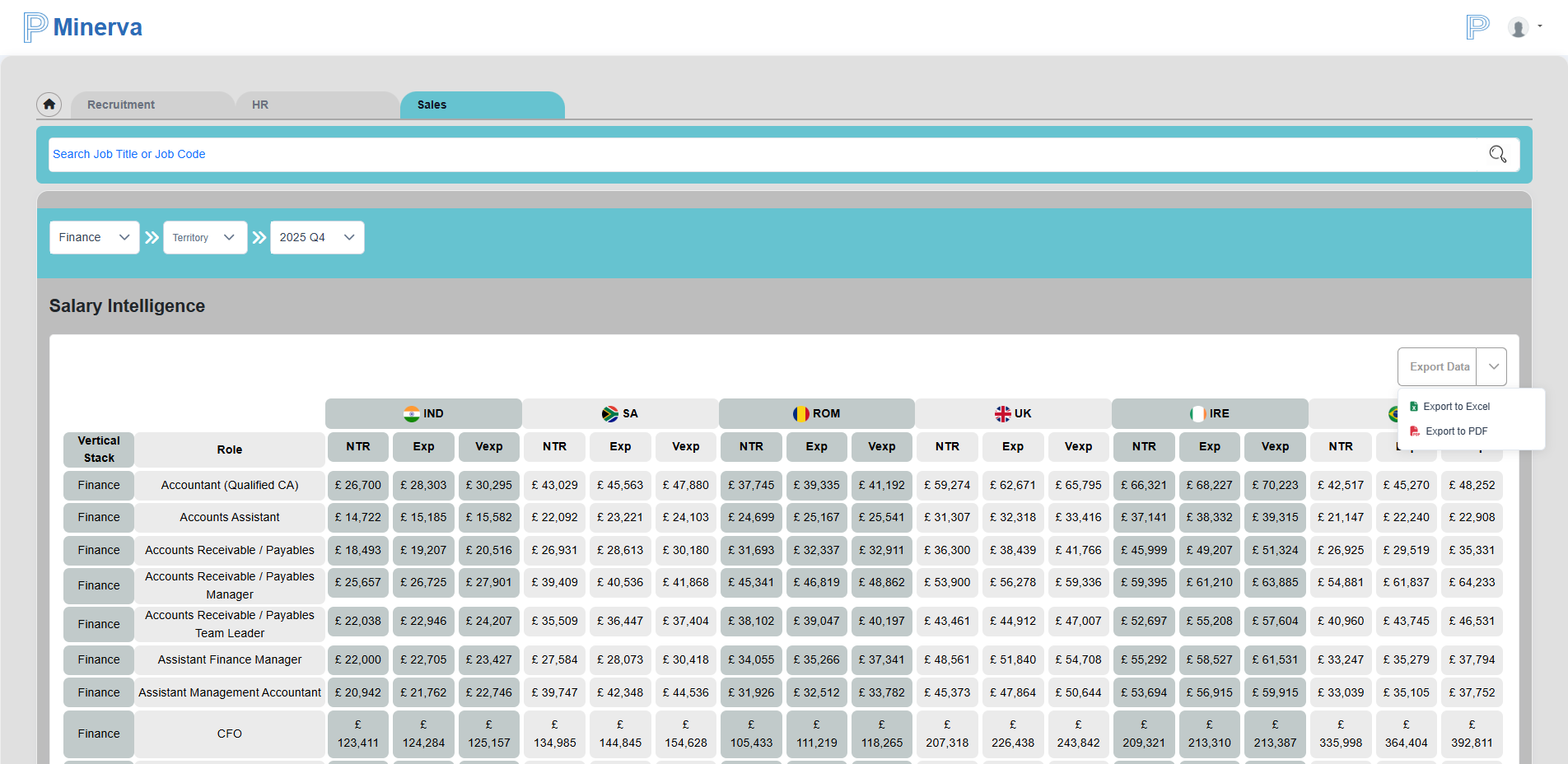
By default, the data is exported as an Excel file.