HR
The HR module includes three tabs:
- HR
- Employee Salary Review
- Team Salary Review
HR
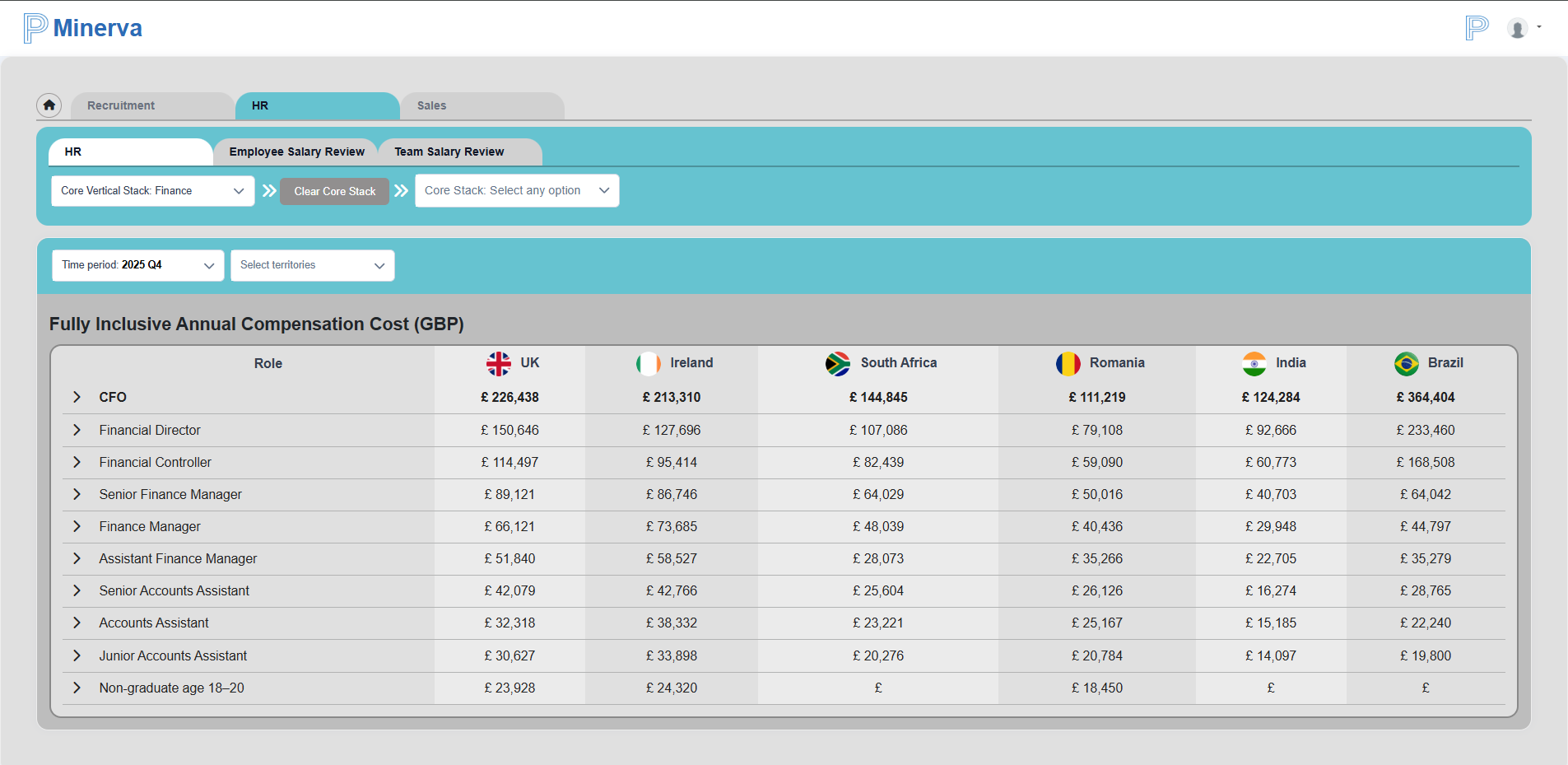
The HR tab opens the default dashboard with core jobs for the selected vertical stack.
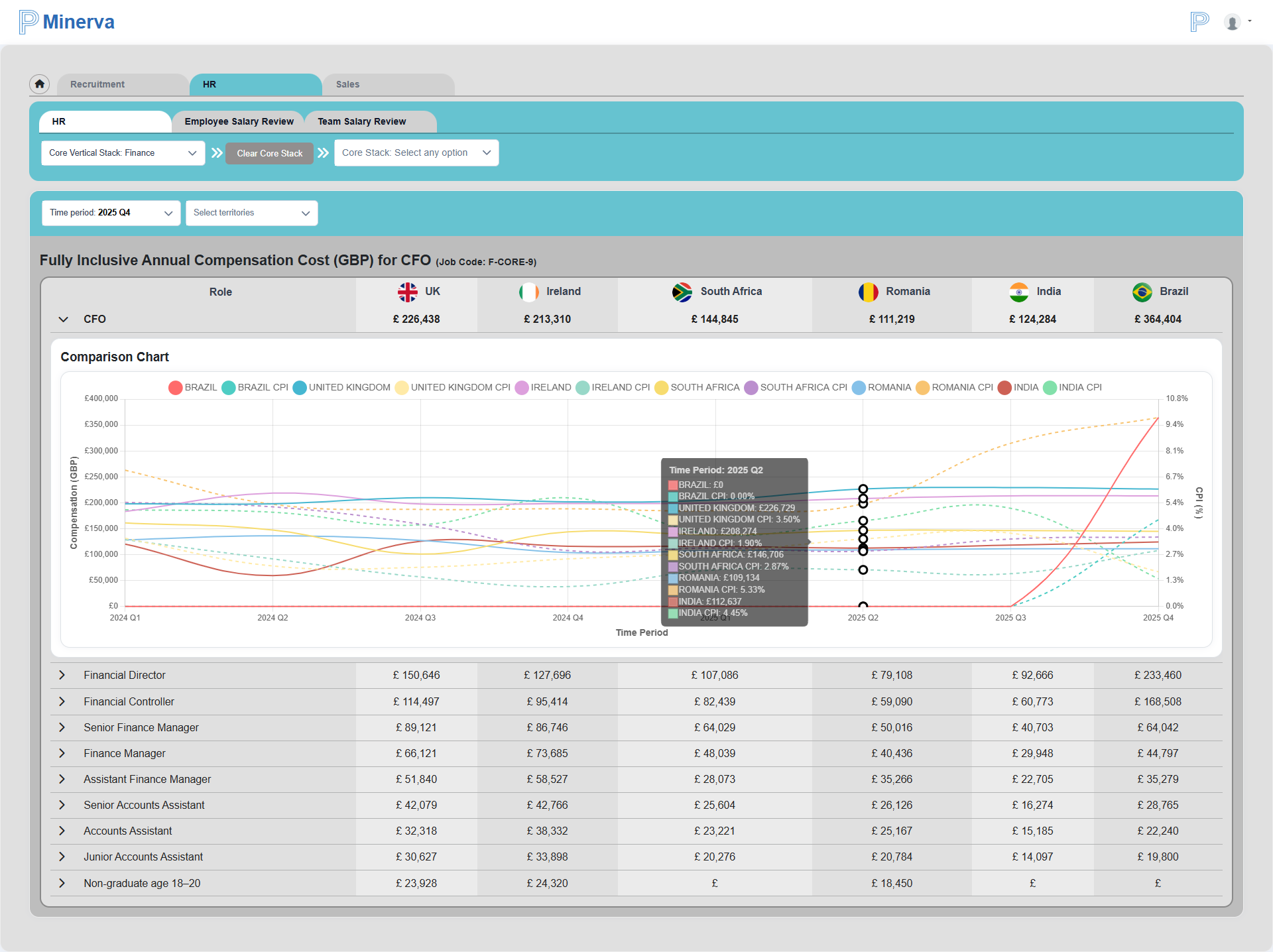
You can expand each job to view comparison charts for:
- GBP
- Time period
- CPI
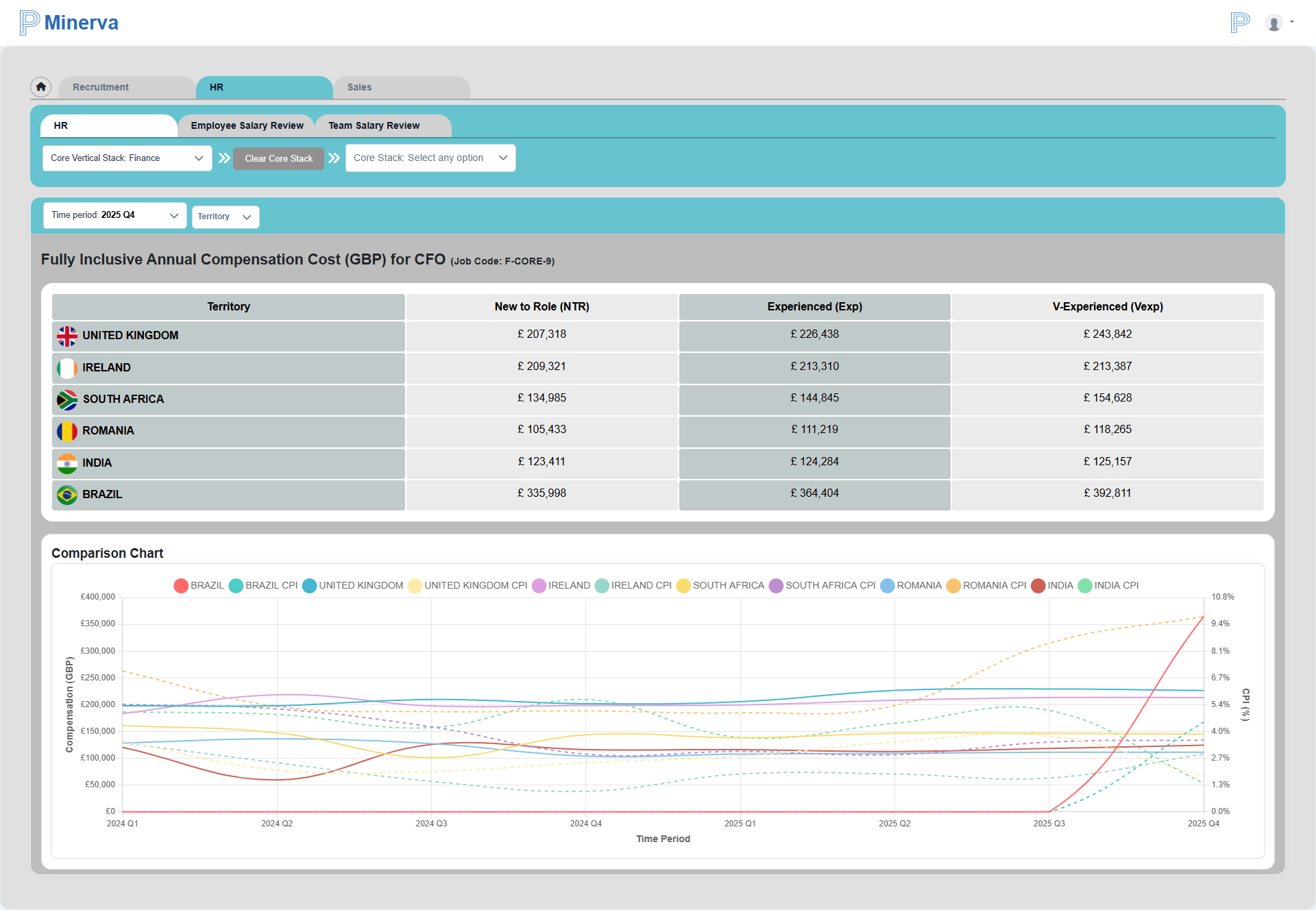
You can also filter data by up to two territories.
Selecting a job title (or selecting via vertical stack, sub-stack, and job title filters) opens the single-job view.
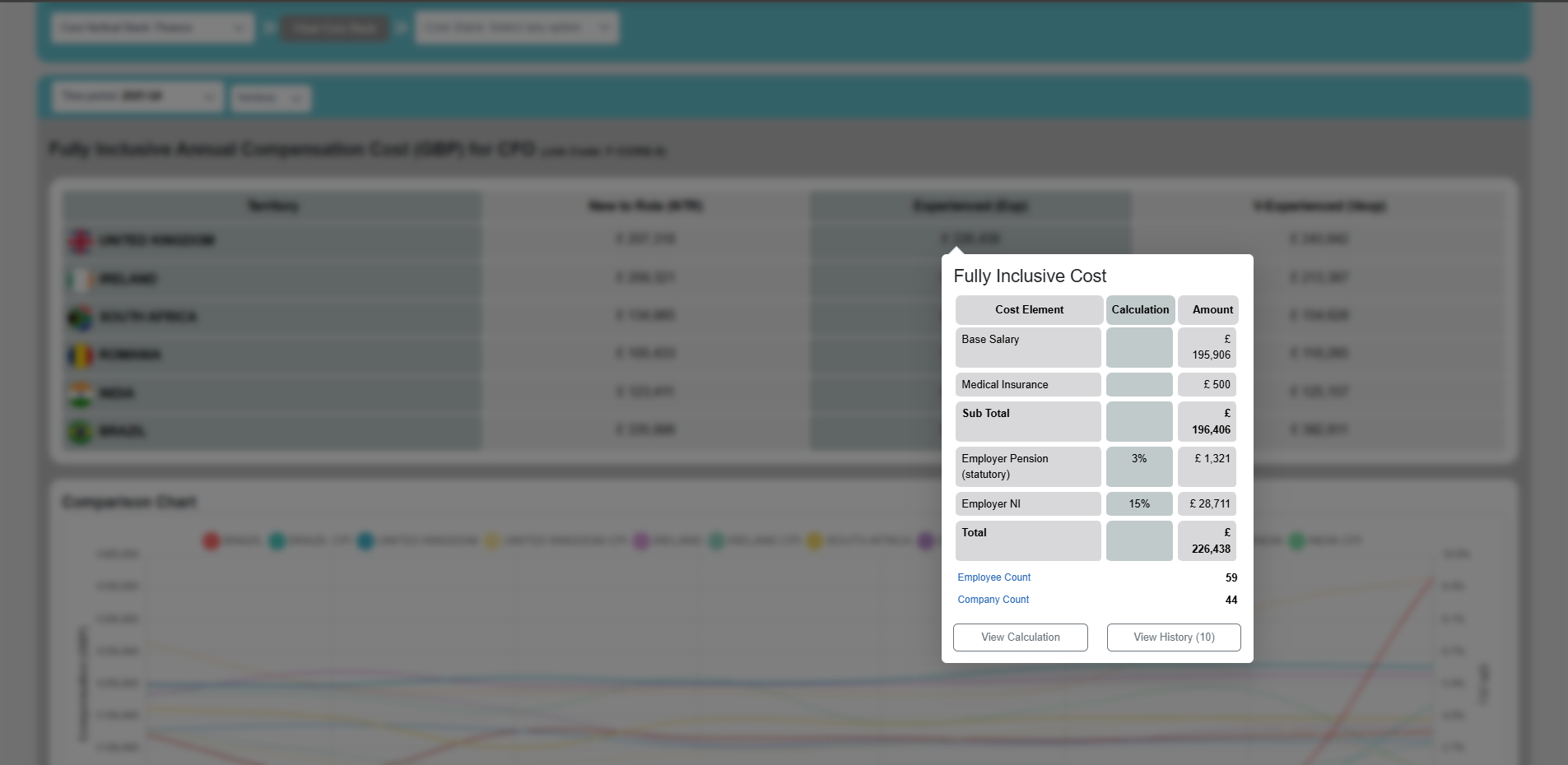
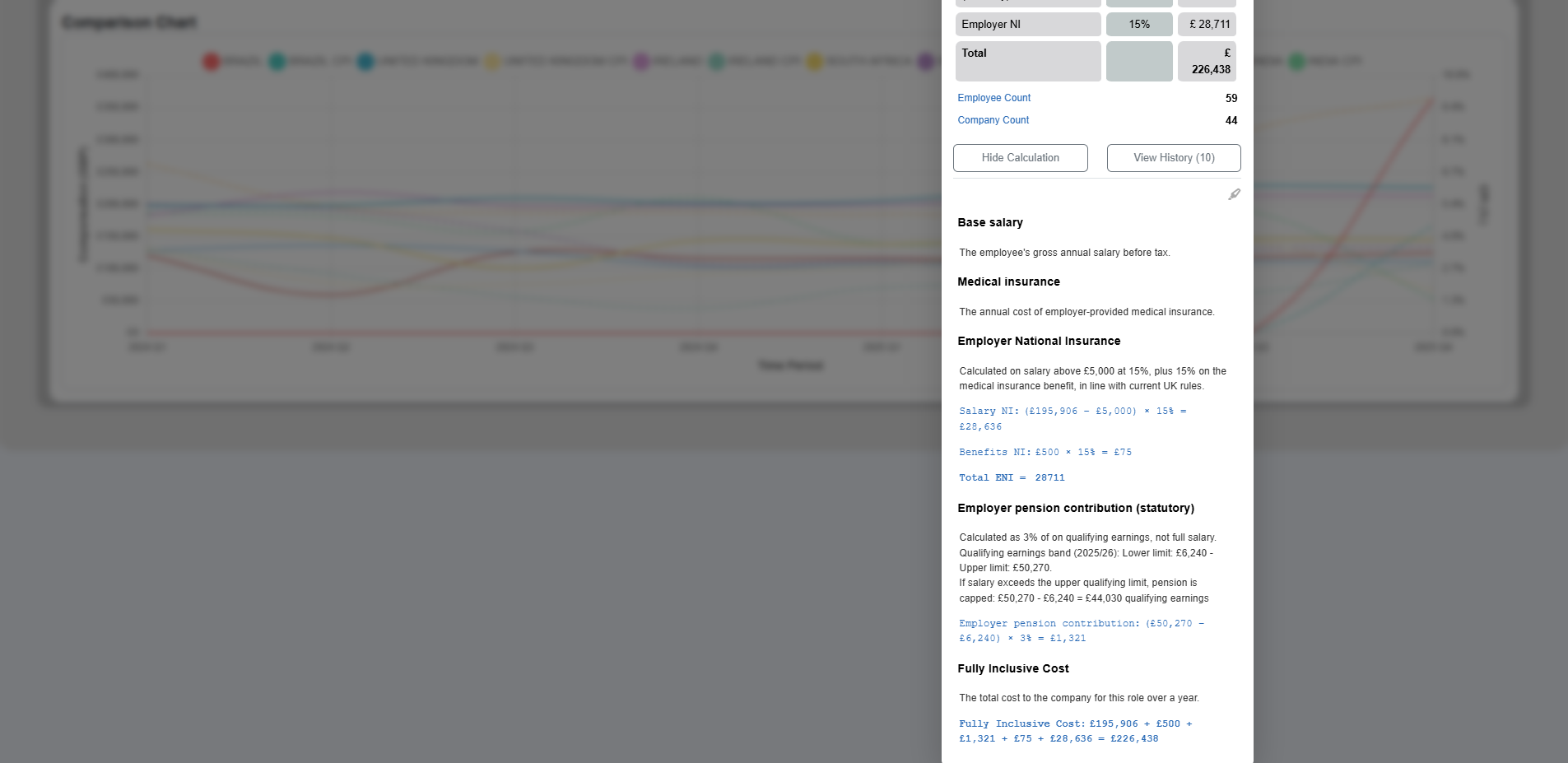
Clicking a value opens a calculation breakdown dialog, and by clciking on the View Calculation button we get a drilled down view of calculation detail.
Employee Salary Review
The Employee Salary Review tab provides an individual salary planning workspace.
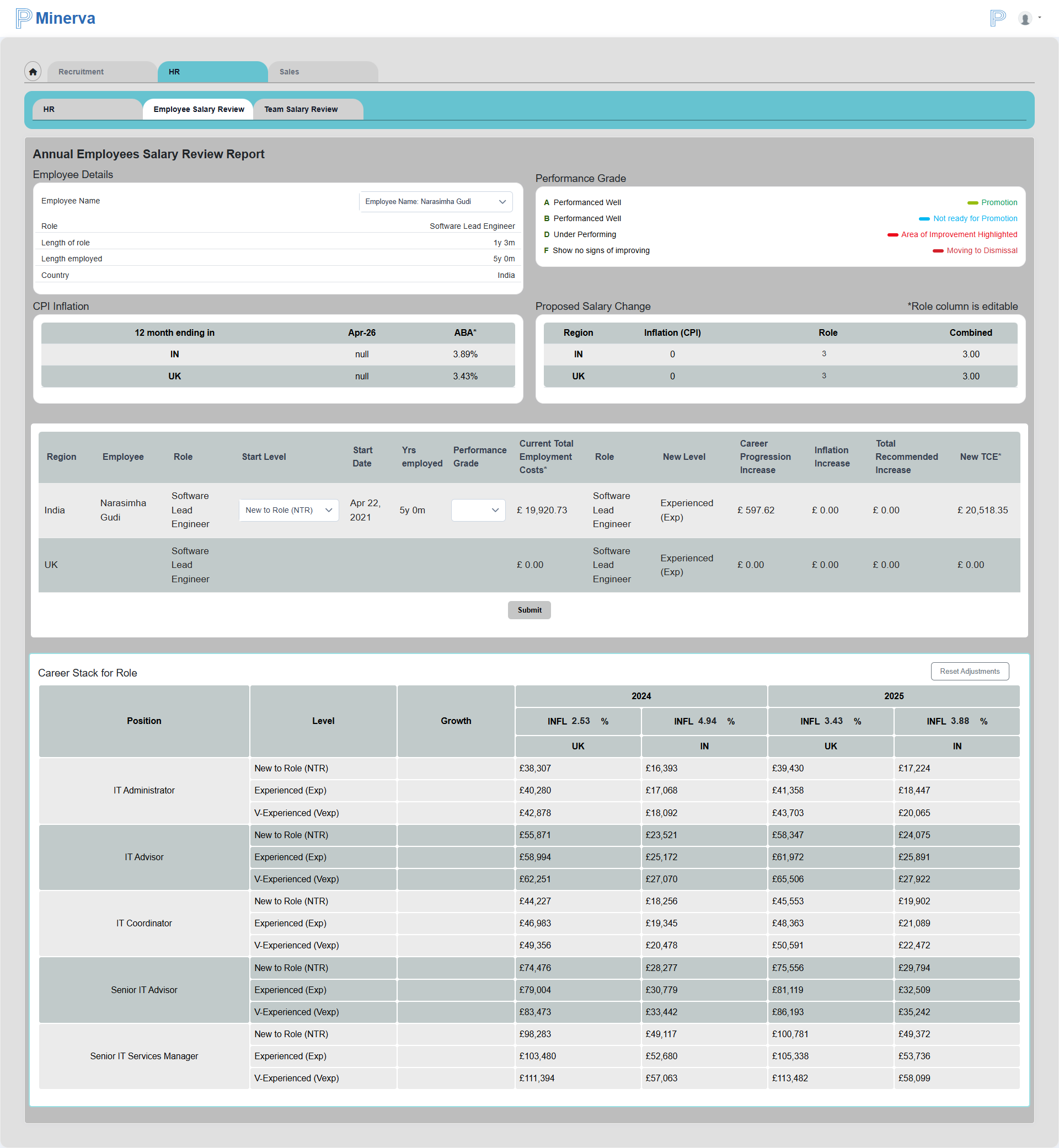
After selecting an employee, the page displays:
- Employee profile details
- Performance grade legend
- CPI inflation for the last 12 months
The review strip allows managers to:
- Review and grade employee performance
- Adjust the employee start level
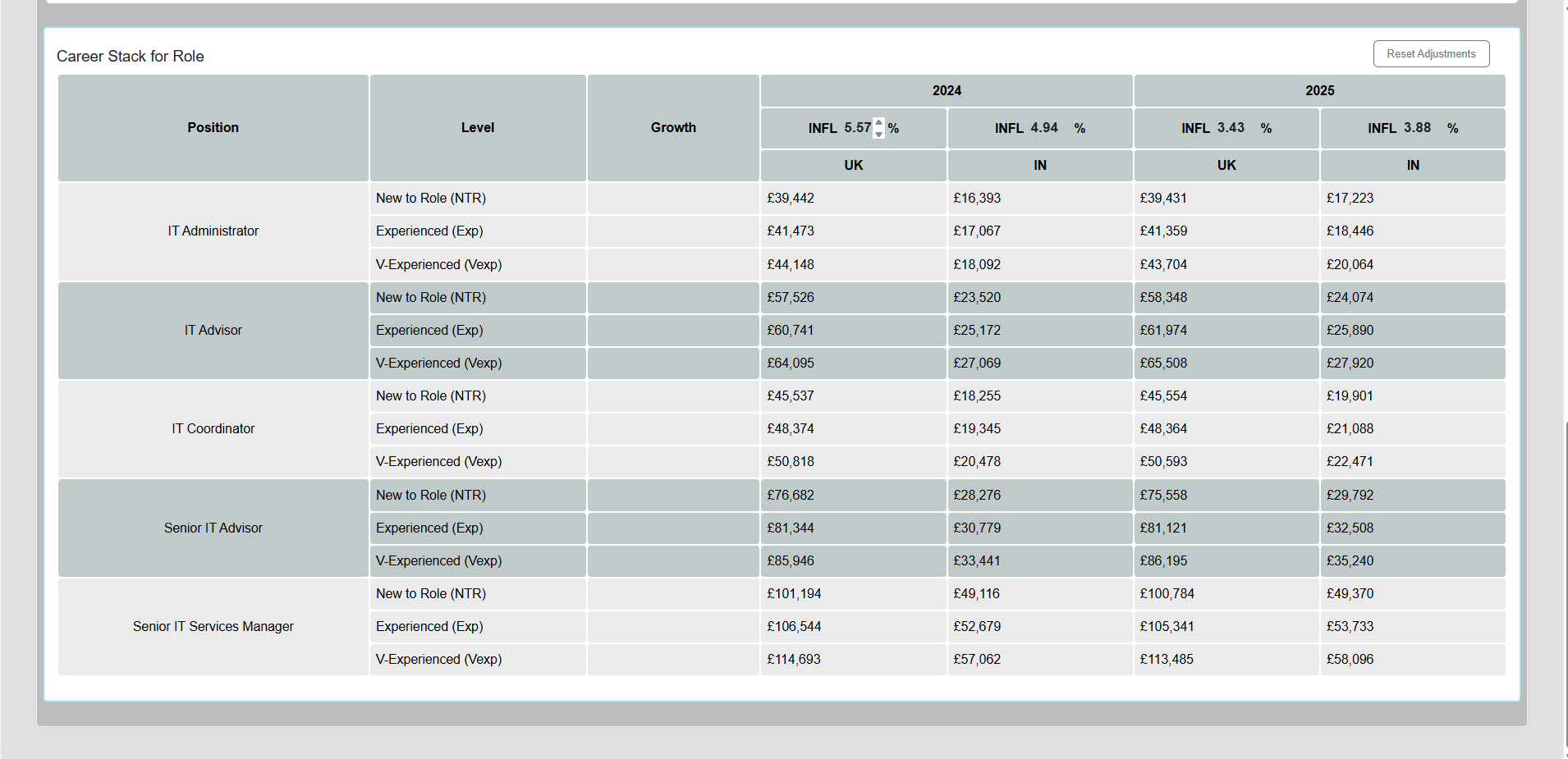
The career stack section for the selected role shows role progression, available levels, and inflation over time. Inflation percentages can be edited, and dependent values are recalculated immediately.
Use Reset Adjustment to restore system default values.
Team Salary Review
The Team Salary Review tab supports salary planning at team level.
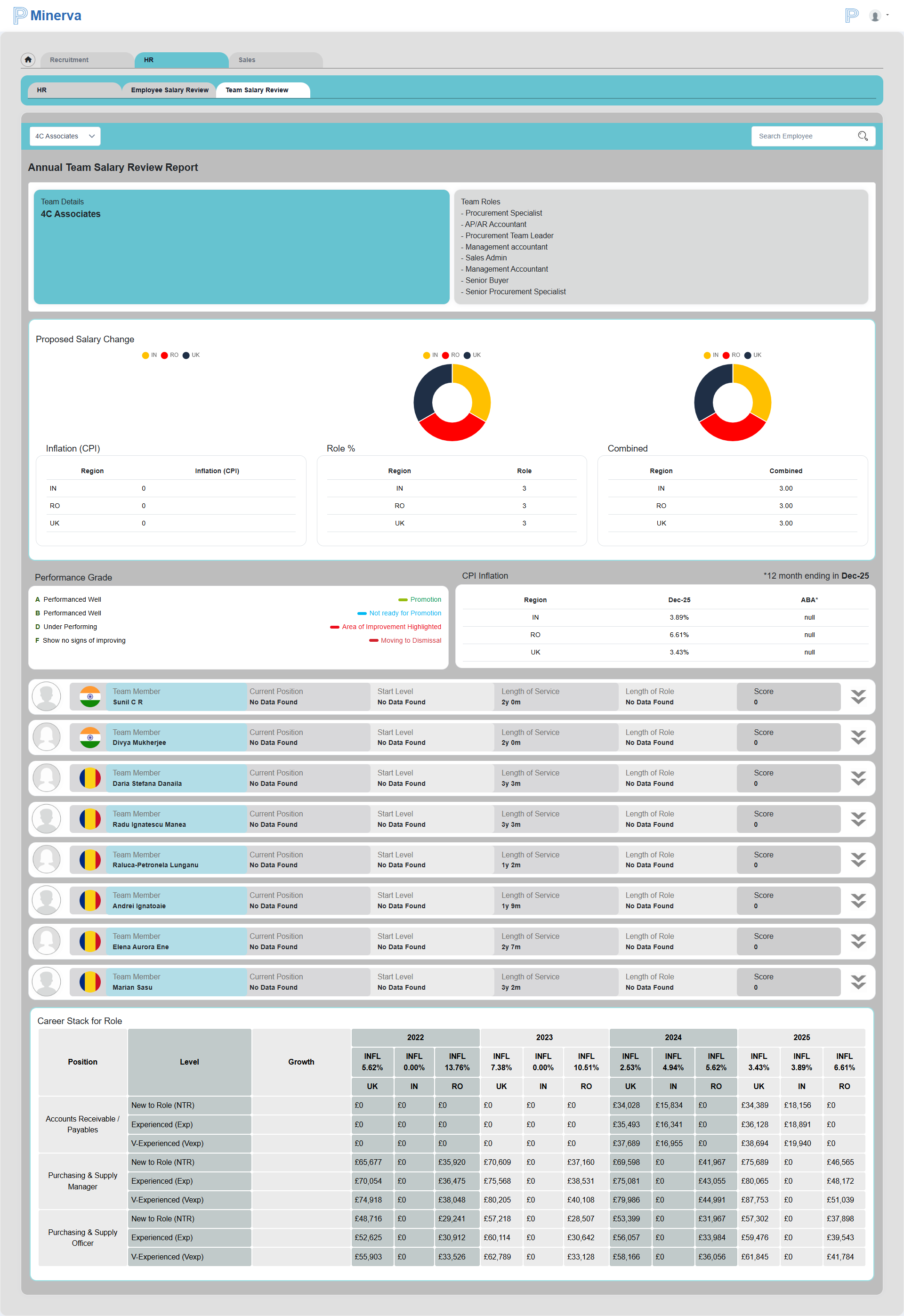
After selecting a team, the page lists unique roles represented in that team and shows comparative graphs for proposed salary changes, including:
- Inflation
- Role percentage
- Combined impact
This view also includes:
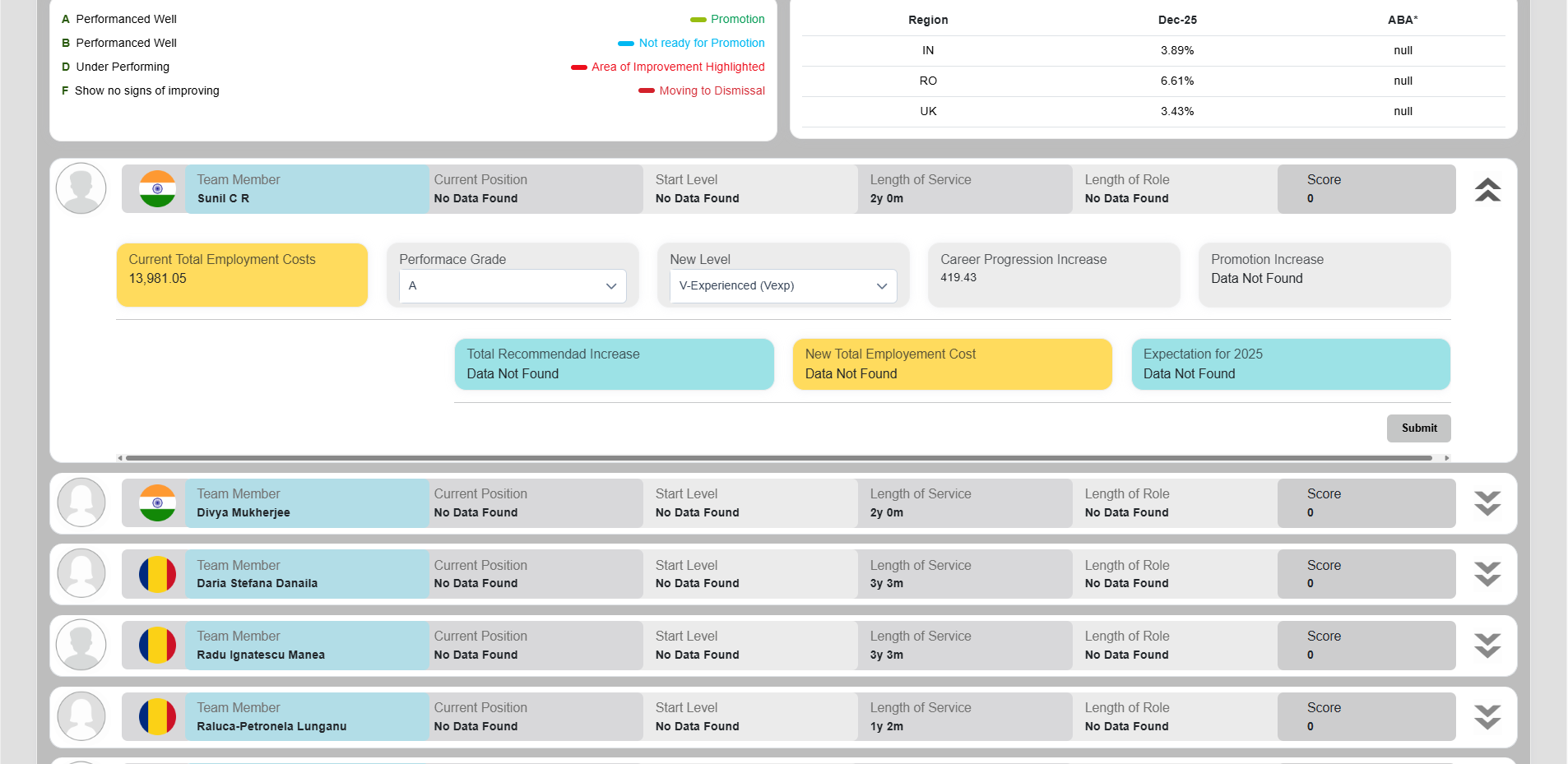
- Performance grade legend
- CPI inflation
- Team member salary details
Each team member row can be expanded through an accordion to review and edit individual performance inputs.